Online sticky notes for your ideas, plans and shared work.
Keep your thoughts together on a private board. Plan your week, collect ideas or work with other people. When you need to guide a group, turn a board into a workshop.
Free includes 1 private board of your own. No credit card needed. Publishing on the worldwide wall is optional.
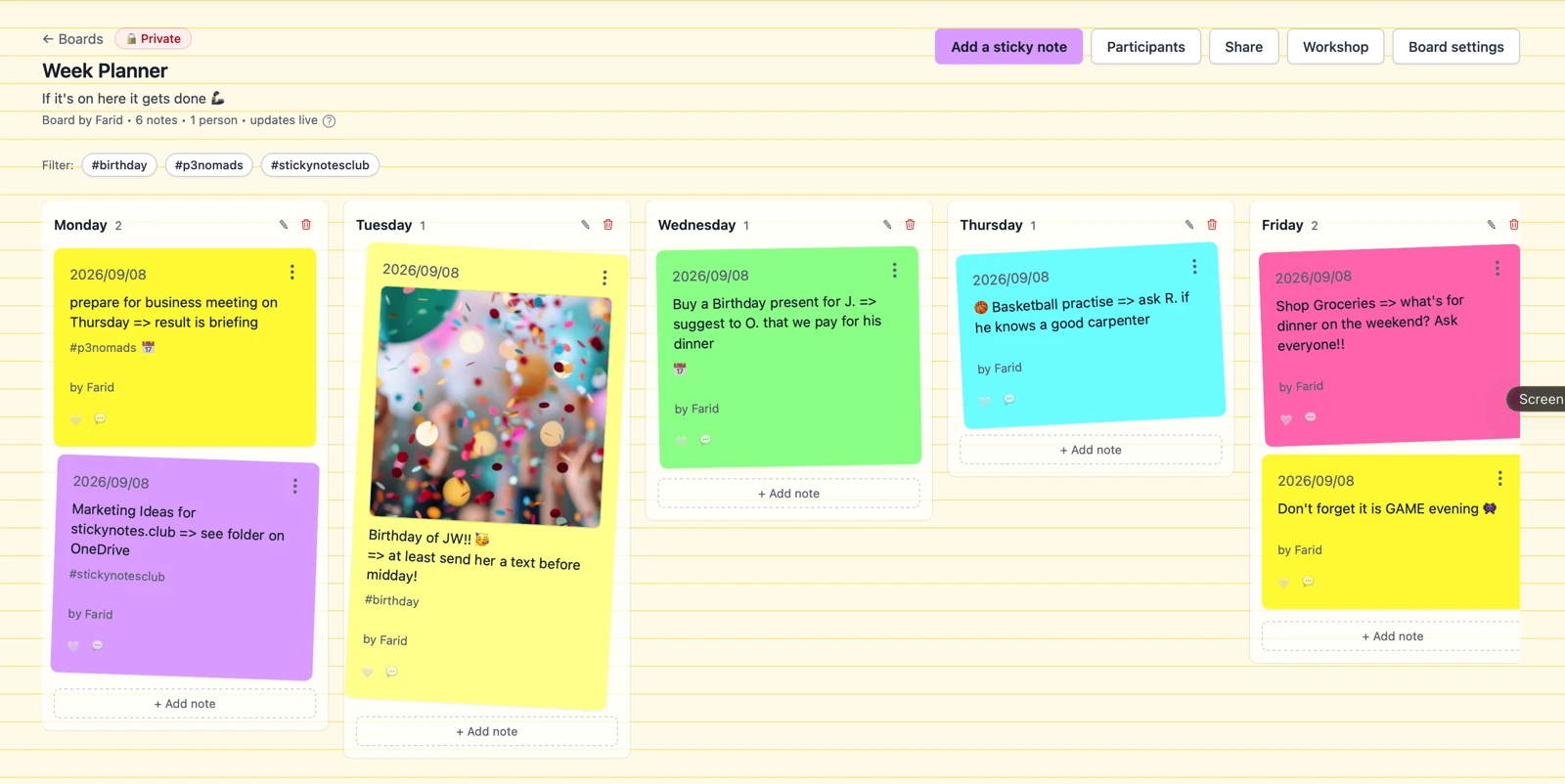
Choose how you want to use it.
For yourself
Keep a weekly plan, collect ideas or organise a personal project. Start with a free private board.
With other people
Invite people to a board you own and develop ideas together. Club Host adds invitations and View or Post links. Invited Participants can use free accounts.
For a workshop
Guide a session with an instruction, timer, silent brainstorm and voting. With Club Facilitator, guests join through a link or QR code without creating an account.
Your own board, one useful next step.
-
1
Create a board. Choose Blank, Week planner or Kanban.
-
2
Add what is on your mind. Give each idea or task its own note.
-
3
Arrange it as things change. Keep using the board on your own, or choose a plan that lets you invite others.
Private-board notes do not use your daily Public publication allowance.
From individual ideas to a shared result.
Prepare the question. Let people contribute. Discuss and prioritise the notes, then keep the outcome on a results page.
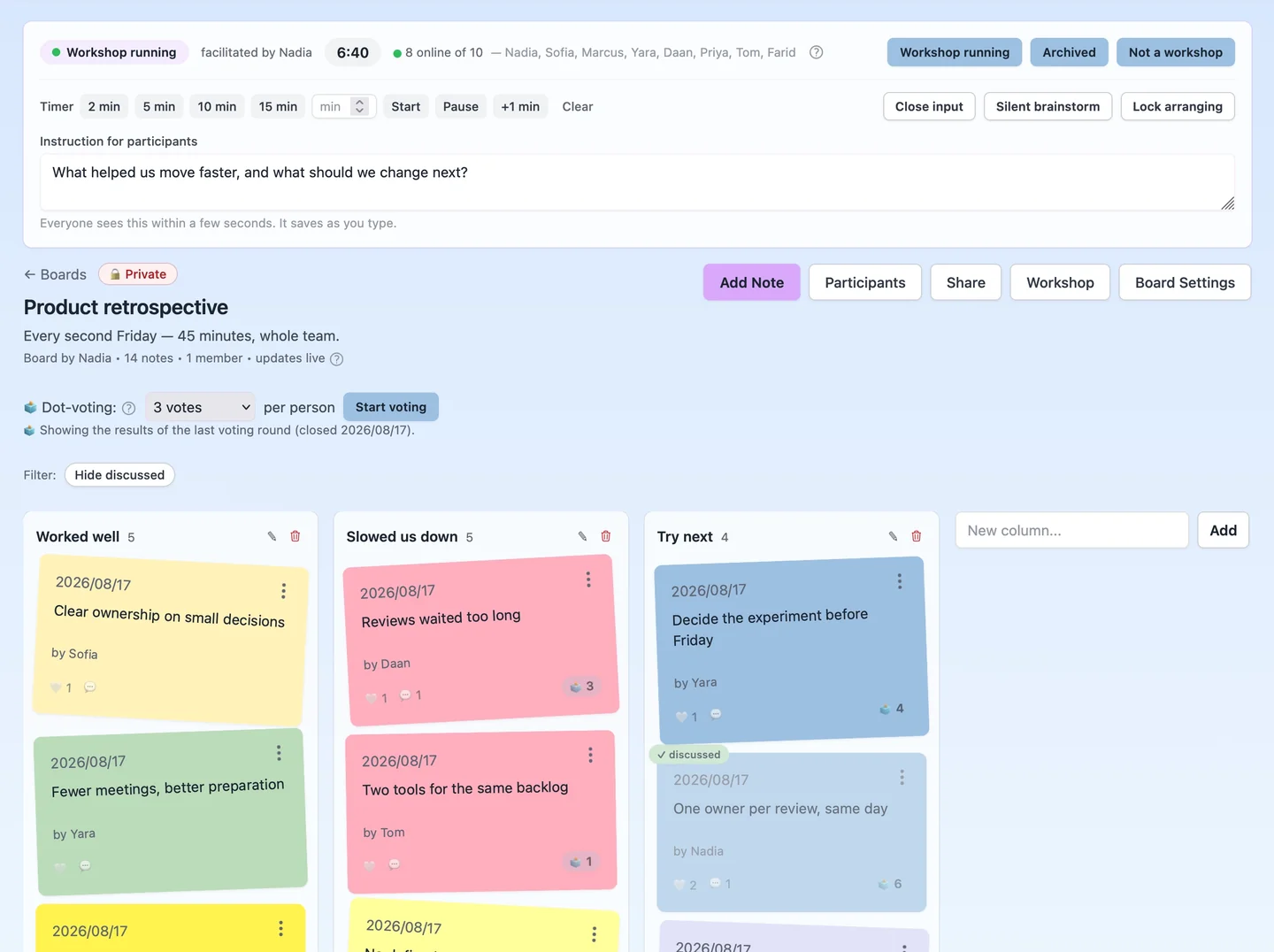
Built for the sessions you already run.
- Sprint retrospective
- Collect what helped and what slowed the team down, then vote on the one thing to change.
- Classroom or training
- Ask a question, let everyone answer at the same time, and discuss what comes back.
- Planning or kick-off
- Gather options from the whole room before the loudest voice sets the direction.
- Community or team meeting
- Give people who do not speak up in a room a way to be heard.
-
1
Invite the room
Share a temporary link or put the QR code on screen. Participants choose a nickname and join from their phone or laptop.
-
2
Guide the session
Set the question, run the timer, collect ideas silently and decide when input opens or closes.
-
3
Choose what matters
Discuss the ideas, use dot voting and leave the session with visible priorities on the board.
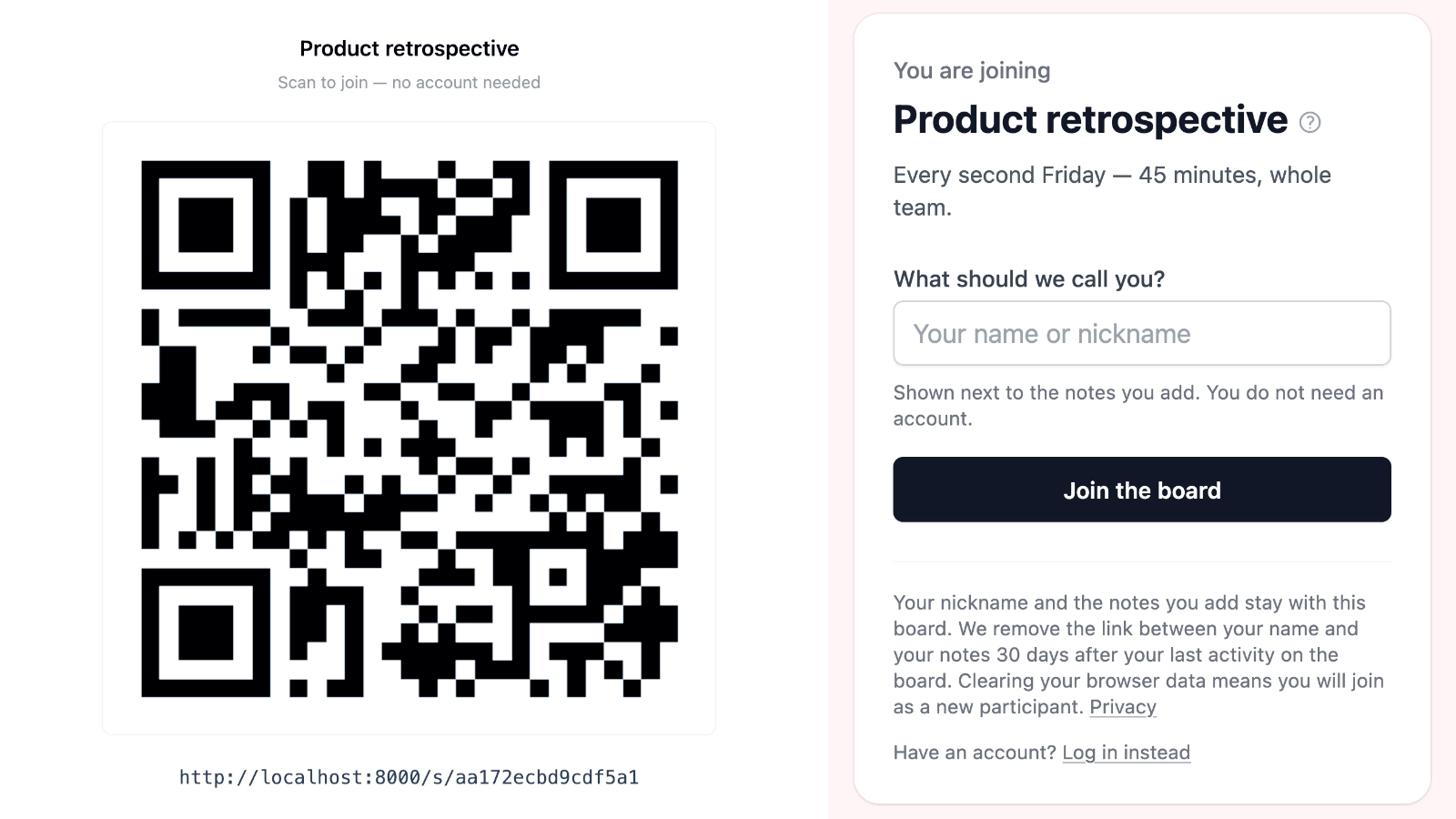
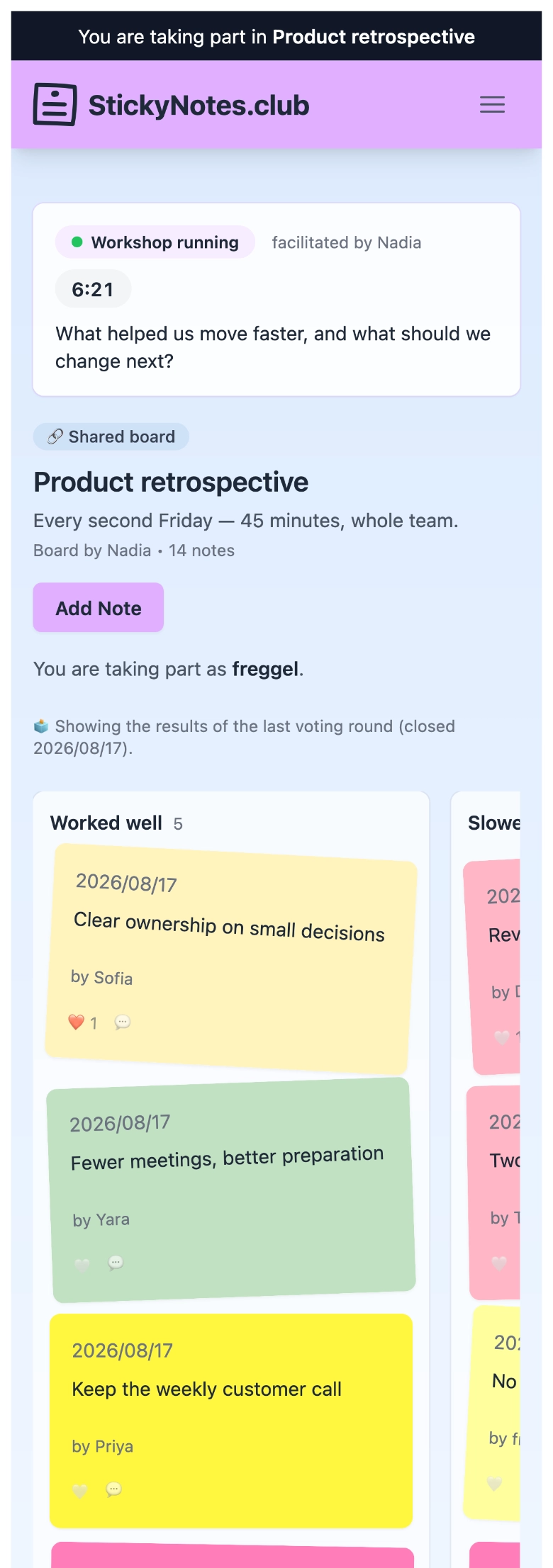
Anyone with the link can take part.
Participants do not need an account, paid plan or installation. They choose a nickname and can add, edit and delete their own notes, comment, use hearts and vote while the workshop link is active.
Guest links expire, and the facilitator can replace or revoke them at any time.
Keep the room focused without breaking its flow.
- Shared instruction — change the focus during the session.
- Synchronised timer — start, pause, resume or add a minute.
- Open or close input — decide when new ideas come in.
- Silent brainstorm — participants first see only their own ideas.
- Participant preview — check what the room will see before they join.
- Spotlight and discussed — point at one note and tick off what you covered.
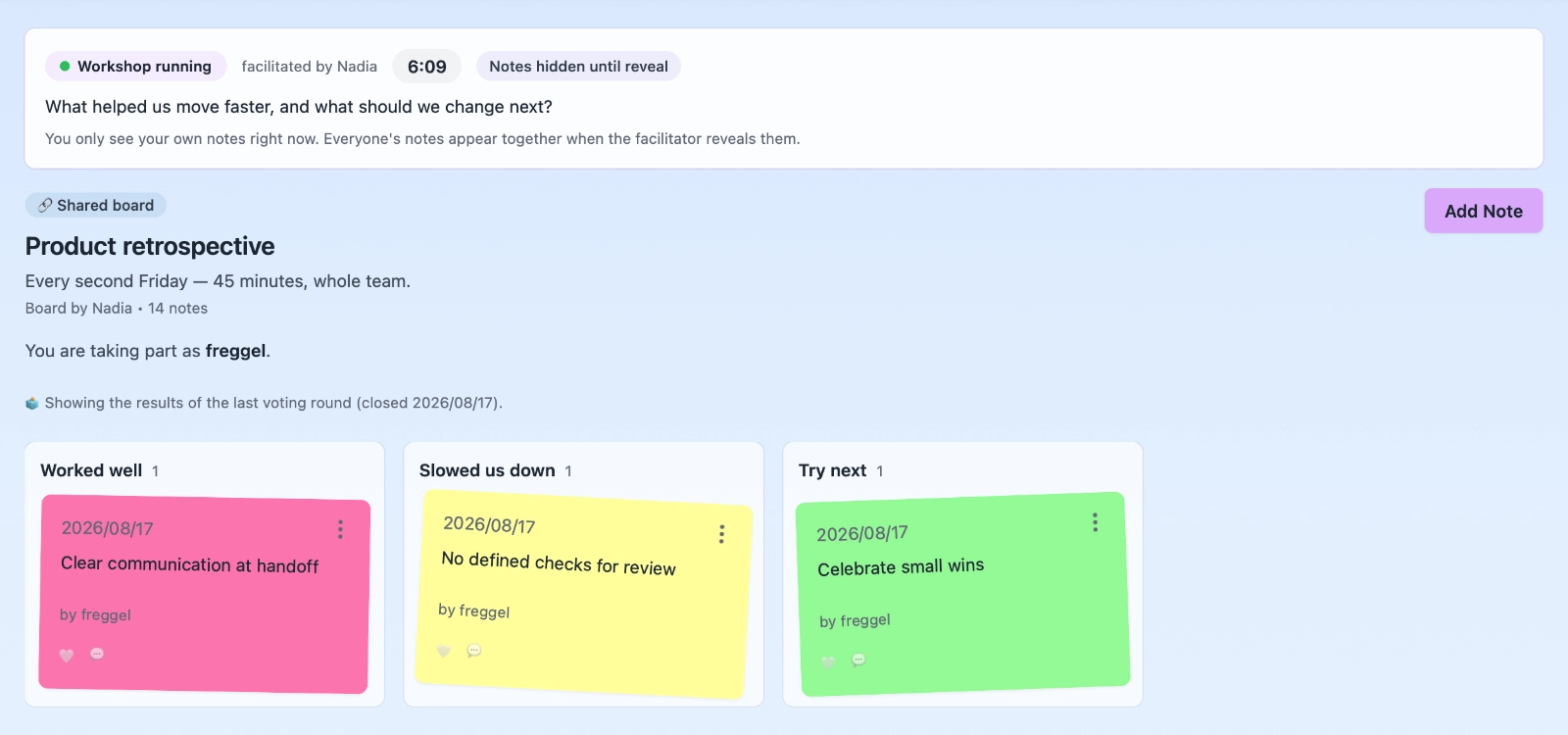
Turn a wall of ideas into visible priorities.
Move from collecting to discussing and voting without sending the group to another tool. Results stay visible on the board when the session finishes.
Comments and hearts for lightweight feedback
Dot voting with a facilitator-controlled allowance
Results revealed when the facilitator closes the round
A finished board you can share with a View link
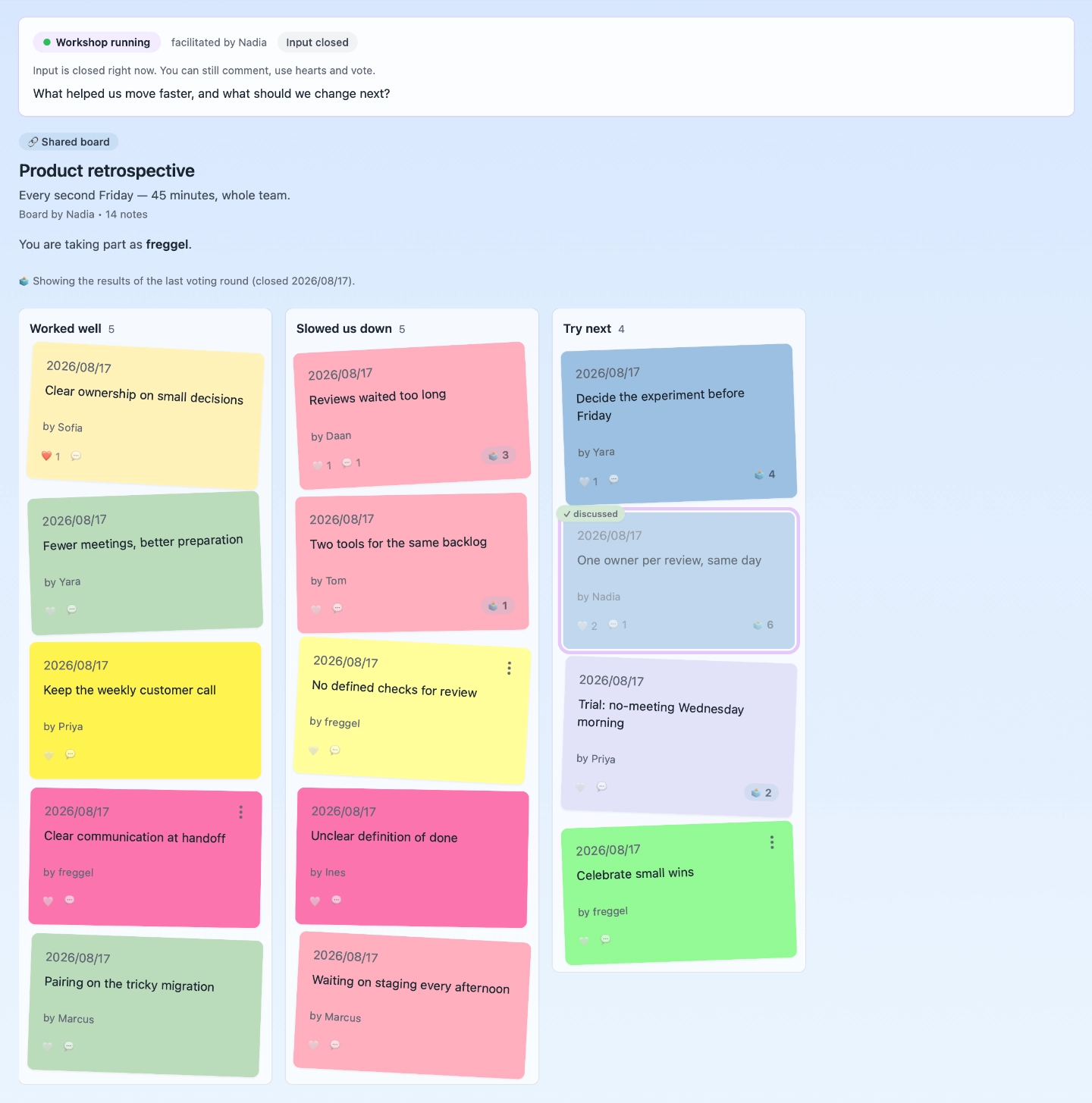
The session ends. The board stays useful.
Every workshop is built on a private board. Prepare it before the room joins, keep the results on a results page you can print, copy as Markdown or download as CSV, and share a View link with people who were not there.
Start a session with Blank, Retro, Brainstorm, Start / Stop / Continue, Prioritising or Feedback session — or an everyday board with Kanban or Week planner.
Organise notes with columns, tags and due dates.
Changes usually appear within a few seconds, without a manual refresh.
One facilitator. A whole room. No seat licences.
Club Facilitator
€ 14.99 /month, ex. VAT
- Everything in Club Host
- Up to 50 participants per workshop
- QR-code participation without accounts
- Facilitator controls, silent brainstorm and dot voting
- A results page with ranking, decisions and action points, ready to print, copy as Markdown or download as CSV
- Up to 15 private boards
Monthly. VAT is added at checkout where it applies.
Not ready to decide? Start free as a Club Member with 1 private board of your own. Running a guided session with participants is part of Club Facilitator. Create a free account
“What I like most is the attention paid to the meeting itself: letting people contribute, giving the discussion some structure and keeping the decisions afterwards.”
Public wall or private board?
Your private boards are for your own work and the people you give access to. They do not appear on the worldwide wall. The wall is an optional place to publish an individual thought for others to discover — you can use your own board without publishing anything.
Back to the Future said 2015. We're late!
hii i am at stickynotes.club
Denk niet links Denk niet rechts Denk gewoon na.
Miro users watching the acquisition news: there's a calm, free board waiting here. Private by default, unlimited notes, no credit card. Guests join workshops without accounts.
Questions before you start
- Can I use it on my own?
- Yes. Club Member includes 1 private board for your own ideas and plans.
- Is there a limit on how many notes I can make?
- Not on your own boards. The daily allowance of 2 notes applies only to publishing on the worldwide wall.
- Do I have to publish on the worldwide wall?
- No. You can use your private board without publishing anything.
- Do participants need an account?
- No. They open an active workshop link, choose a nickname and take part without creating an account.
- Does everyone need a paid plan?
- No. Only the facilitator needs Club Facilitator. Participants take part for free.
- How many people can join?
- Up to 50 participants can join one workshop board.
- Can I use an existing board?
- Yes. An existing private board can be turned into a workshop without changing its notes or layout.
- What happens after the workshop?
- The board stays available to its Owner, and the outcome can be shared with a View link.
Start with one board and one idea.
Create your free account and make a private space for the things you want to remember.